
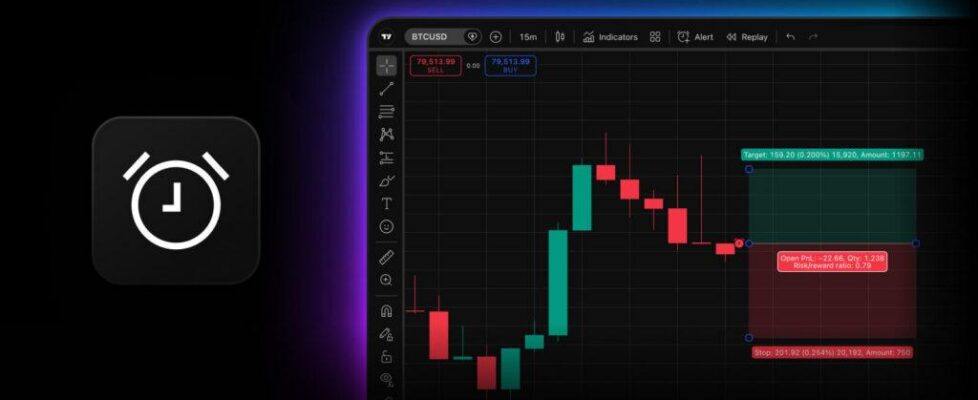
TradingView enables traders to set alerts on long and short position drawings

TradingView has enabled its users to set alerts on long and short position drawings.
Long and short position drawings are among the most popular drawings on TradingView because one drawing holds your entire trade plan — entry, stop loss, and take profit — with position size and risk/reward calculated for you. But until now, you couldn’t set an alert on the drawing itself. The drawing mapped your levels yet stayed silent when price reached them, so you had to either stay glued to the screen to follow the chart or duplicate each level with a separate horizontal line and set up alerts for them.
TradingView has solved that. Now, TradingView users can create an alert directly on a long or short position drawing.
Here’s what that means in practice.
- One action, full coverage: A single alert watches your entry, stop loss, and take profit.
- It follows the trade: Entry hit — you get a notification, while the alert keeps watching your exits. Stop or target hit — another notification, and the alert stops. Already past your entry? It still catches your exit.
- Trade context in every ping: Ticker, level, price, quantity, and PnL are included right in the default message.
- Always in sync: Move the drawing or edit its levels — the alert automatically restarts with the updated values.
Getting started takes just a few steps:
- Draw a long or short position — or select one already on your chart
- Right-click it and choose Add alert, or use its floating toolbar
- Customize the message if you want, or simply use the pre-filled one
- Click Create, and you’re done.