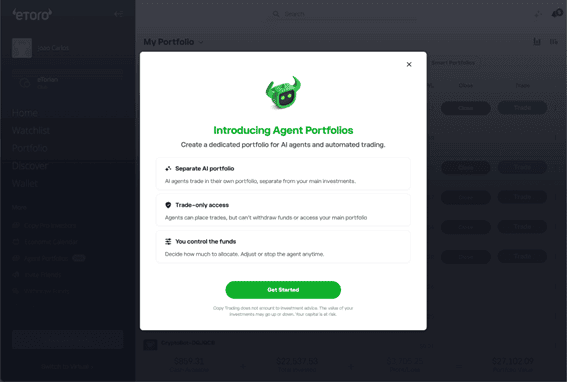
eToro introduces Agent Portfolios

Online broker eToro is launching Agent Portfolios in a gradual rollout and for the first time, eToro users can connect their own AI agent to a real trading portfolio on eToro.
An Agent Portfolio is a dedicated sub-portfolio inside your eToro account, built specifically for AI-driven trading. You name it, fund it with an amount you choose, and connect your agent through a scoped API key. From there, your agent can trade on your behalf within the portfolio you’ve set up for it.
You stay in control of how much capital to allocate, which agent to connect, and the boundaries it operates within. It’s the simplest way to go from “I built an AI agent” to “my AI agent is trading for me.”
Here’s what you get:
- Your own AI trading portfolio. A separate portfolio dedicated to your agent’s strategies, distinct from your personal investments.
- You choose the budget. Start with as little as $200. Scale up as you gain confidence. Adjust anytime.
- Scoped API credentials. A dedicated API key tied to this portfolio. Connect it to whatever you’ve built: a Python script, an LLM-powered agent, a custom trading bot, an OpenClaw.
The strategies are yours to design. The API gives your agent the ability to open positions, close positions, check balances, and manage the portfolio you’ve scoped for it.
Get started in under five minutes
- Open Agent Portfolios (Beta) from the eToro desktop platform’s side menu.
- Name your portfolio and allocate your starting budget (minimum $200).
- Copy your Agent Portfolio’s API key.
- Connect it to your agent or app. You’re live.
- … or simply provide this prompt to your AI agent:
- “Please download and save the skill from https://www.etoro.com/wp-content/uploads/agent-portfolios/SKILL.md, then follow its instructions.”
Your agent will guide you from there – portfolio name, investment amount, and strategy.