
TradingView introduces Macro Maps 2.0

TradingView has enhanced Macro Maps – the tool to see macroeconomics across the entire world and every individual country.
The updates are set to make working with data even more convenient.
See what’s changed:
- A map that’s easy to read — spot differences between countries at a glance with distinct indicator colors and stronger contrast between shades. There’s also a compact tooltip that shows details without blocking the map.
- Interactive legend — hover over a range and the map will highlight the countries that fall within it.
- Updated screenshot page — you’ll always know which indicator and date you were analyzing. And if you want to check the latest data — the button to jump back to the maps is always there.
- Map extras — view data for all countries in a table or read the latest economic news. Everything in one place, switch as you like.
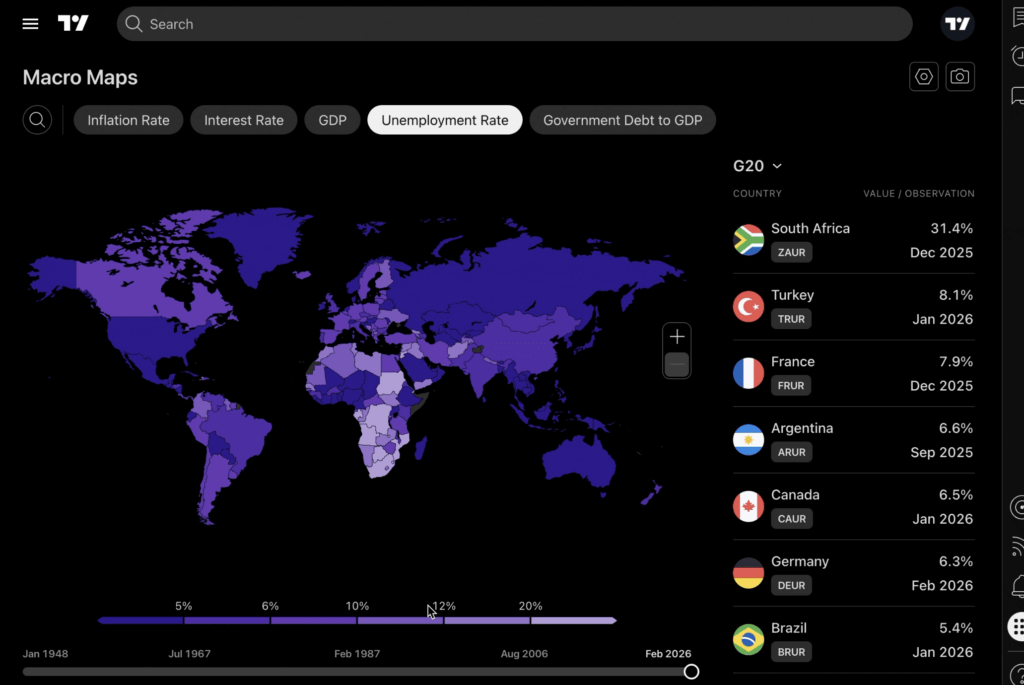
Open Macro Maps as a standalone page or directly from the right-side panel anywhere on the platform — the tool is always within reach.


