Interactive Brokers updates IBKR Desktop platform, enhances Layout Library and Bond Quote Details

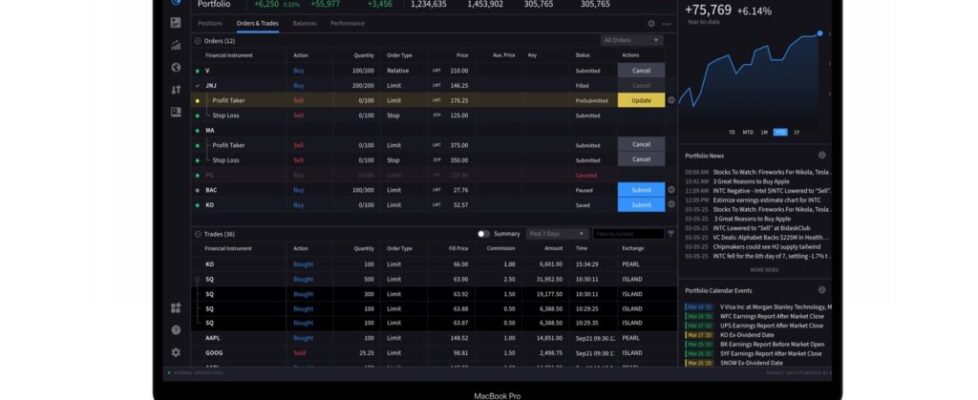
Electronic trading major Interactive Brokers has announced a set of enhancements as part of version 3.4 (beta) of the IBKR Desktop platform.
- Layout Library Enhancement
The platform now offers an updated the Layout Library to provide a more streamlined experience for creating, managing, and applying both custom and predefined layouts.
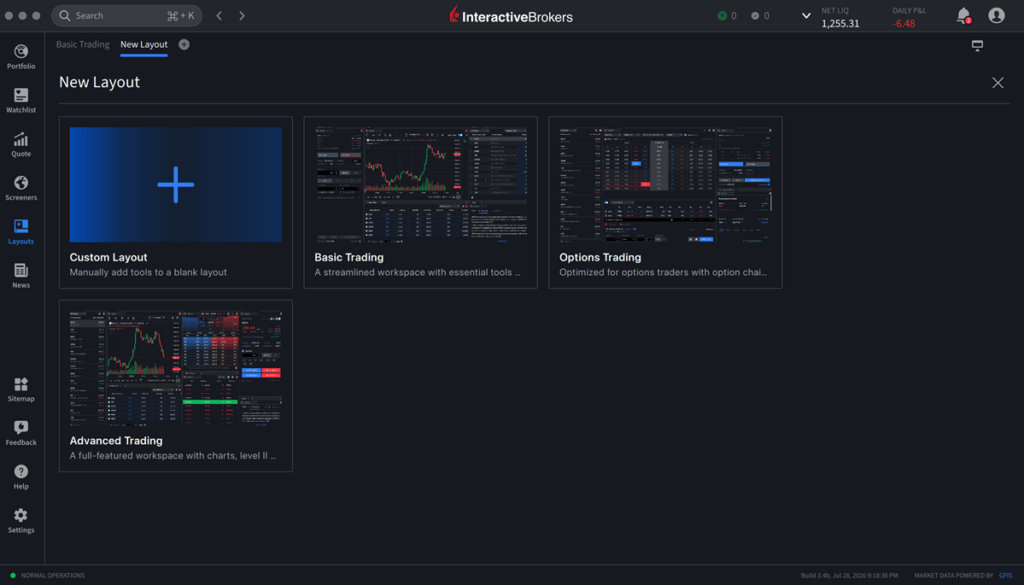
Simply select a layout to add to your layout library or click the Open in New Window icon to launch the layout in a separate window.
- Reorder Watchlist Rows
You can now customize the order of items in your watchlist and save your preferred arrangement. Simply reorder the items as needed, and your changes will be retained for future sessions. To do so, please take the steps outlined below.
Navigate to your watchlist and select the dotted icon to the left of the products to re-order.
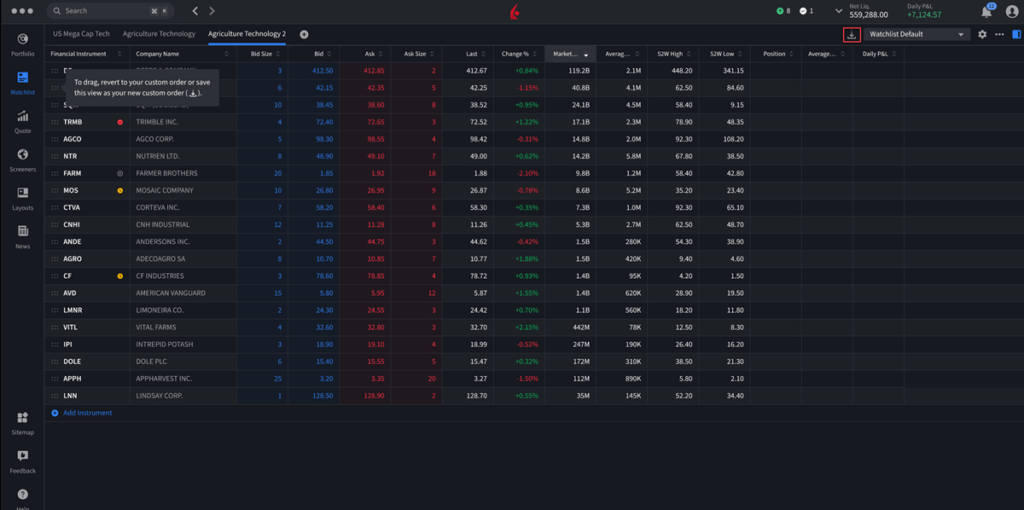
Click and drag the rows in your list accordingly.
Click the save icon in the top right corner to save these changes.
- Drag to Reorder Columns
You can now customize the order of columns on the Portfolio, Watchlist, Orders, and Trades pages. Simply drag and drop the columns into your preferred order, and your layout will be saved automatically for future sessions. To do so, please take the steps outlined below.
Navigate to the Portfolio, Watchlist, Orders, or Trades page and hover over the column you want to move.
Click and hold the dotted icon to the left of the column. When your cursor changes to an open hand, the column is ready to be moved.
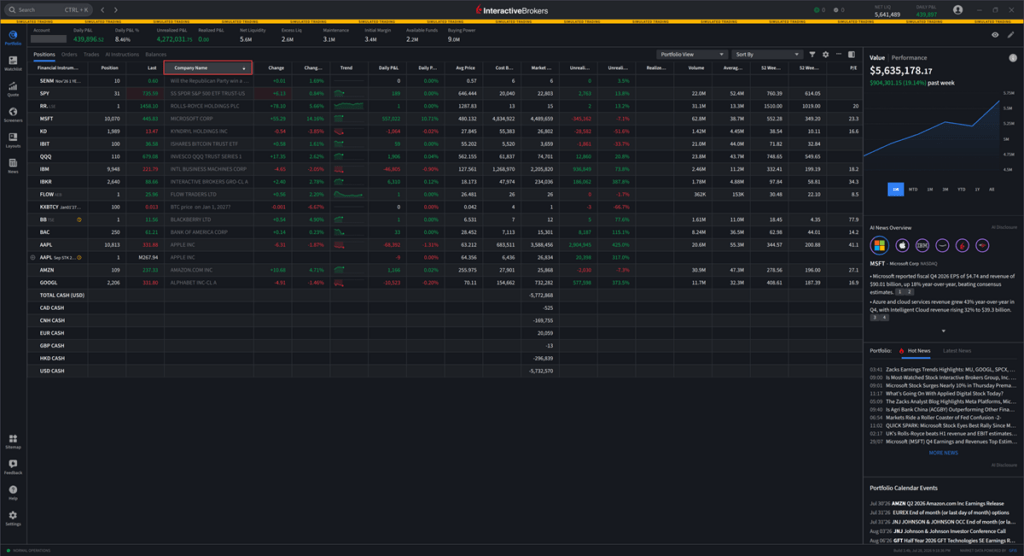
Drag the column to your desired position and release it to drop it into place.
- Bond Quote Details Enhancements
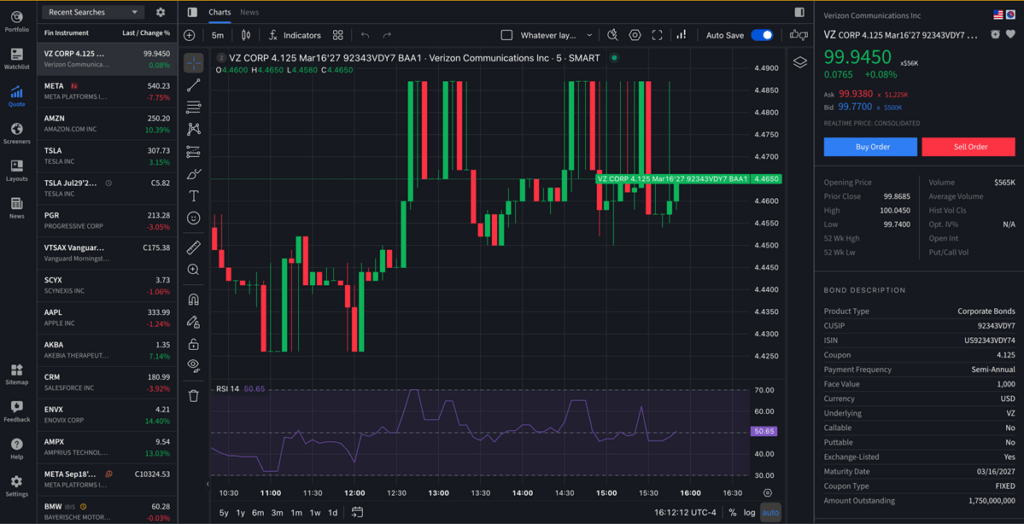
The platform now offers expanded information in the Bond Quote Details screen with a new Description section featuring key bond metadata and a Ratings section that displays credit ratings and third-party pricing data. The Full Description link has also been enhanced, providing quicker and more convenient access to detailed bond information.