Interactive Brokers adds Investment Themes Widget to PortfolioAnalyst

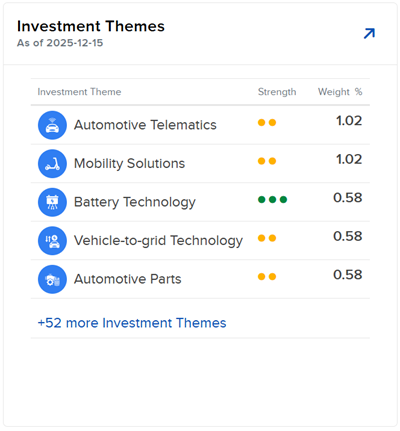
Electronic trading major Interactive Brokers has added Investment Themes Widget to its PortfolioAnalyst.
The Investment Themes Widget lets traders gain visibility into how a portfolio aligns with key investment themes. Some key features are:
- Prioritized view: Themes are automatically sorted by strength and then weight, surfacing the most aligned themes first
- Drill-down analysis: Expand any theme to reveal underlying companies and the companies rank within the theme
- Performance tracking: View Unrealized P&L for each company to monitor theme-based performance
- Complete coverage: Unmapped positions are displayed separately, ensuring full portfolio transparency
To navigate to the Investment Themes widget:
- Select Performance & Reports > PortfolioAnalyst > Navigate to the Investment Themes widget.
- Alternatively, click Menu in the top left corner > PortfolioAnalyst > Navigate to the Investment Themes widget.
- Select the blue arrow icon in the top right corner to view additional details.