

TradingView Desktop gets equipped with redesigned new tab page and expanded tab linking

TradingView Desktop has been updated with a raft of useful changes, including a redesigned new tab page and expanded tab linking.
The new tab page now gives you more control over what you see when you open a fresh tab in TradingView Desktop.
Previously, it worked more like a fixed starting point. Now, you can choose which TradingView products appear there, so the page can stay focused on the tools you actually use. Screeners, Heatmaps, Calendars, News Flow, Portfolios, Yield Curves, Options, Fundamental Graphs, Markets, and Community tools can all be added or removed from your setup.
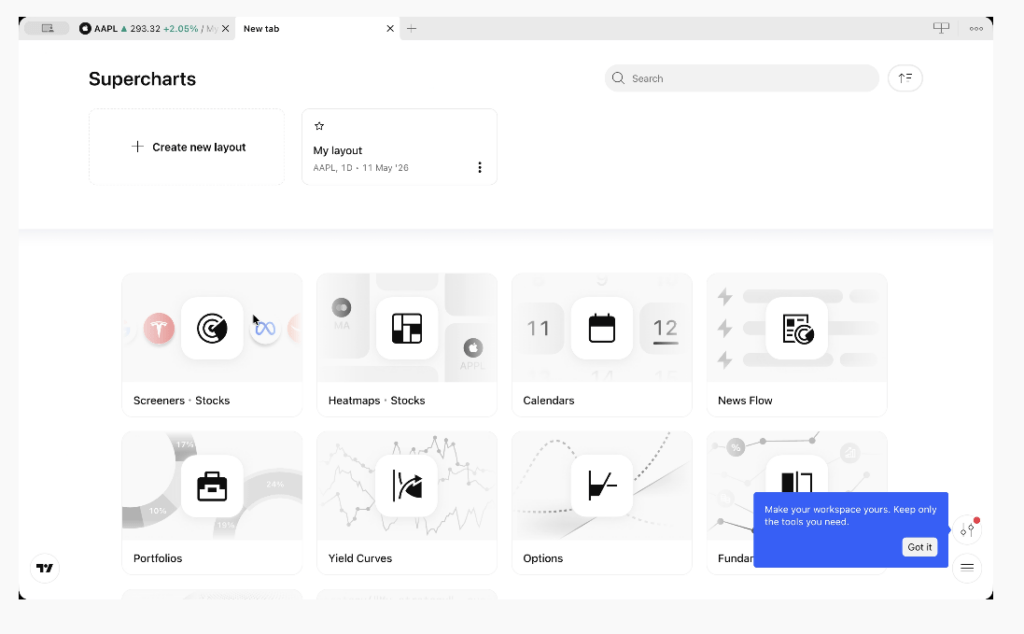
Open the Individual tools panel, pick the products you want to keep close, and your New Tab becomes a cleaner launchpad for your own workflow.
Tab linking is useful when you work with several tabs or windows and want them to move together. Until now, linked tabs could sync symbols and intervals. TradingView has expanded that, so chart tabs can also sync time and date ranges.
That means tabs with the same color tag can stay aligned by:
- Symbol
- Interval
- Time
- Date range
You can use these sync options together or separately, depending on the setup you need.
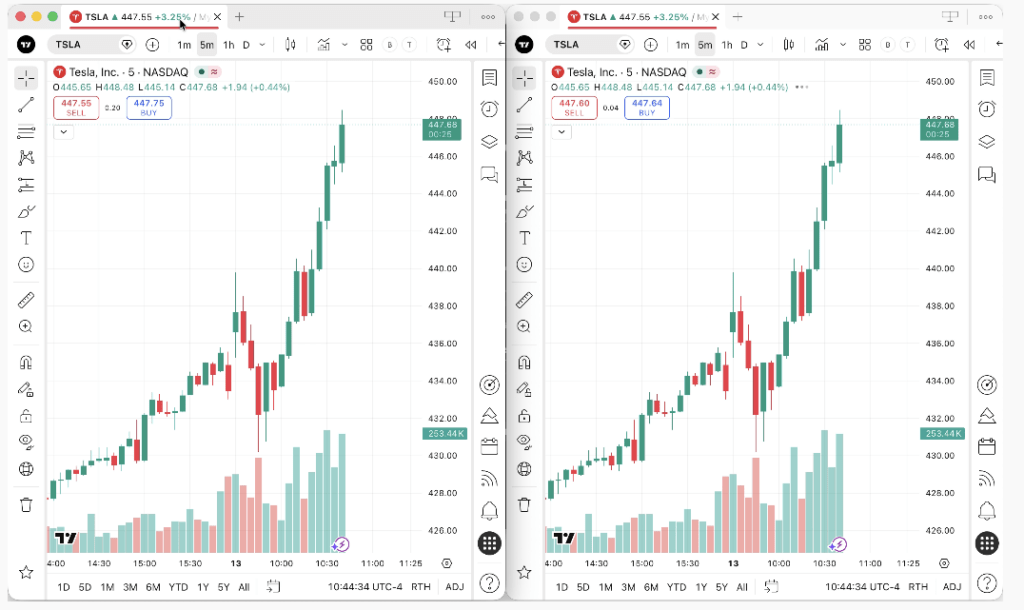
This should make multi-tab and multi-monitor workflows easier to manage, especially when your analysis depends on keeping several charts in step.


